Typical mail app
Your login and mail pass through their cloud—often for instant push.
SamtheCat Mail for iPhone
Some threads aren’t for the lock screen, a borrowed phone, or someone glancing over your shoulder. SamtheCat Mail hides them one at a time — you open each with Face ID or your passcode — while the rest of your inbox stays normal. We don’t host your mail; it stays between you and Gmail, Outlook, or iCloud.
One account free · up to five protected messages · one-time unlock, no subscription · iPhone only
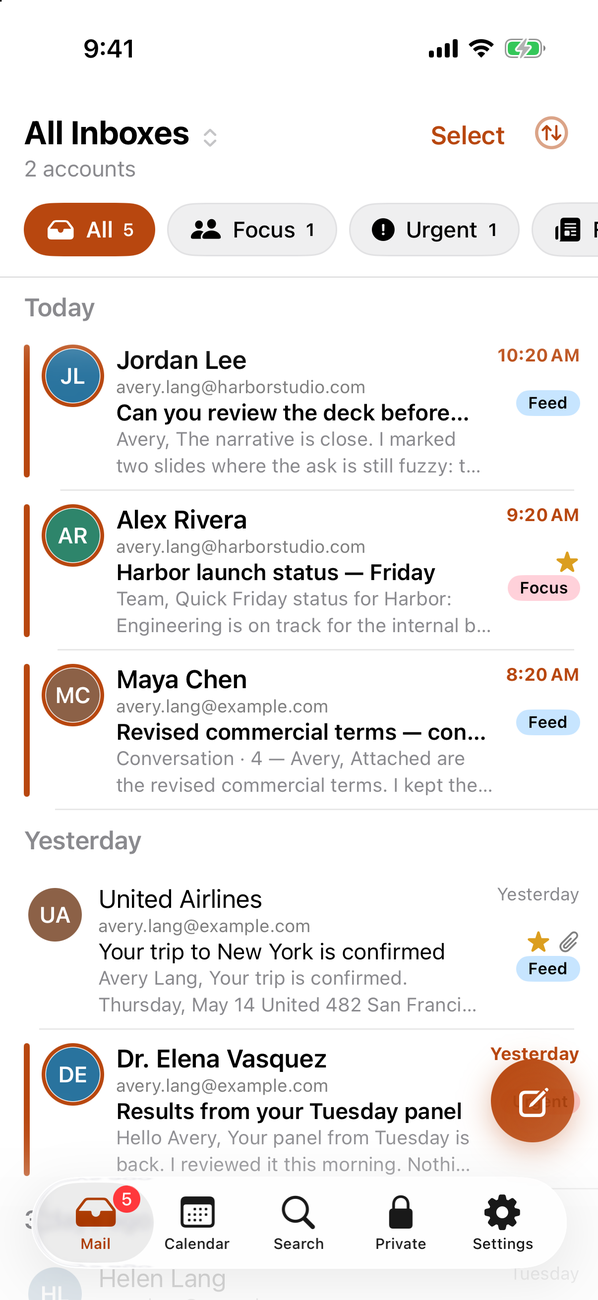
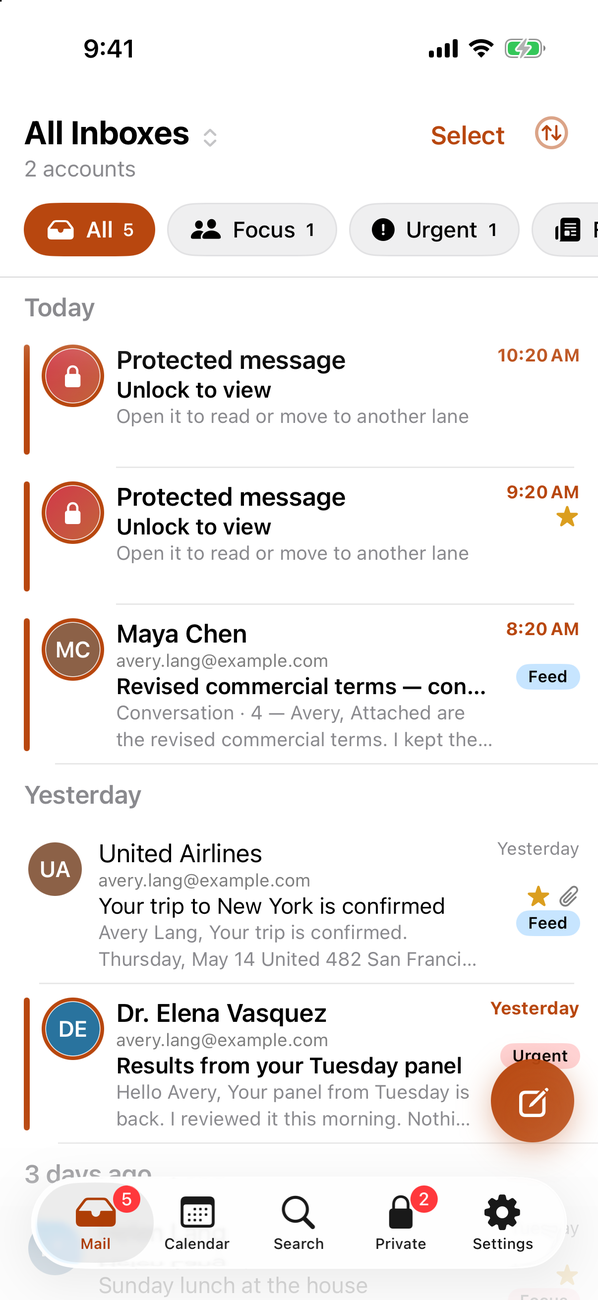
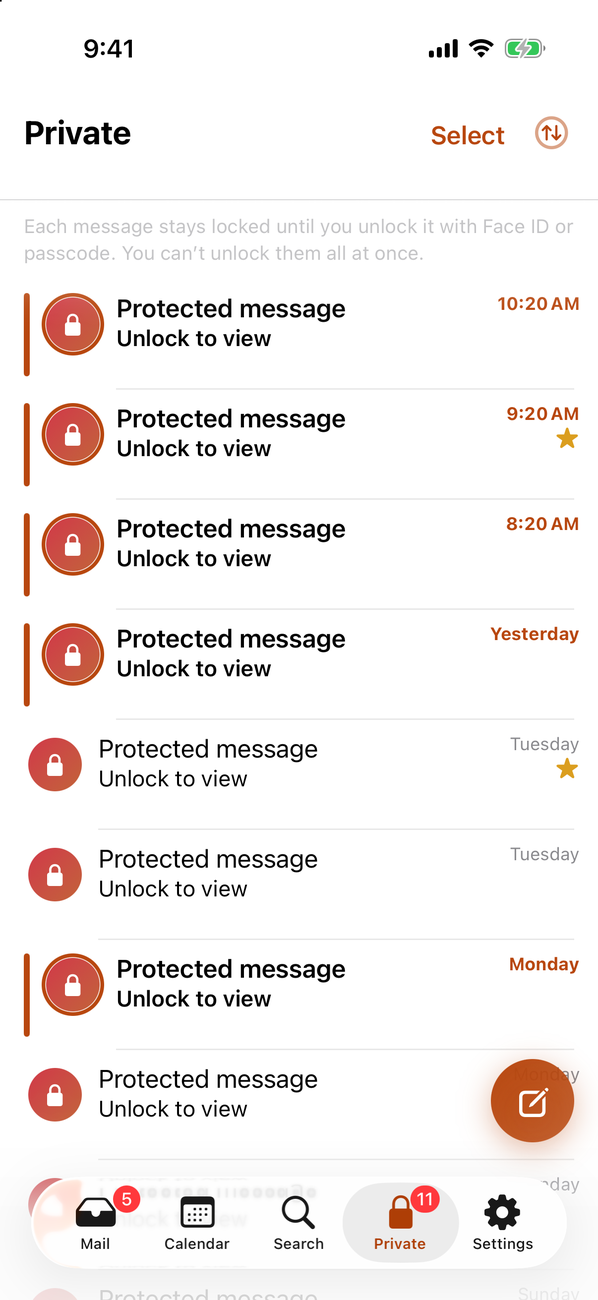
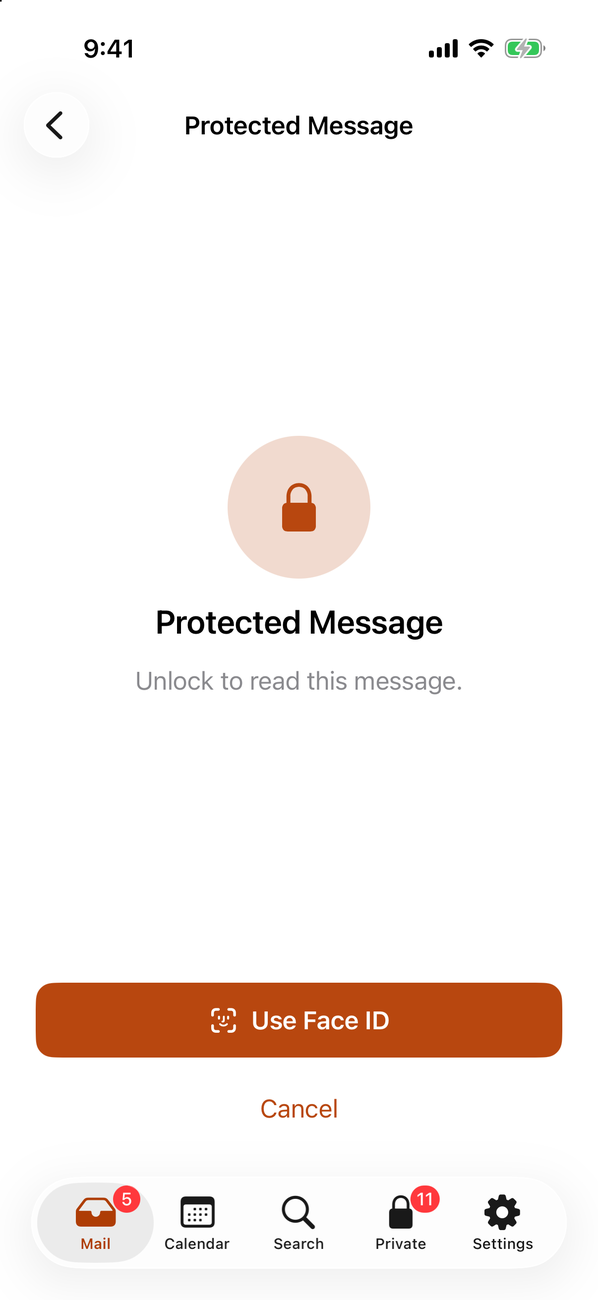
Four reasons it fits real life—when “show me your Mail app” isn’t an option, without giving your inbox to our servers.
Lock one thread at a time with Face ID or your passcode. In the list it shows as “Protected message — Unlock to view”; alerts say you have a new private message, not who sent it.
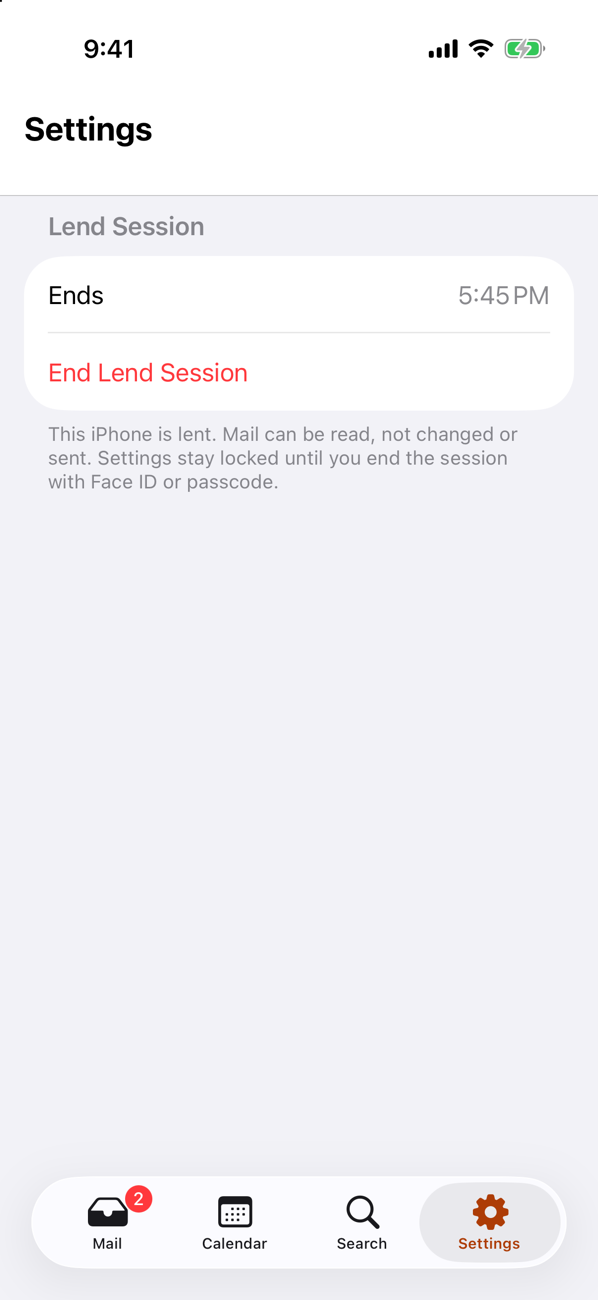
Hand your iPhone to someone for 10 minutes, 30, or an hour. They can read; they can’t send, delete, or stumble into your protected mail.
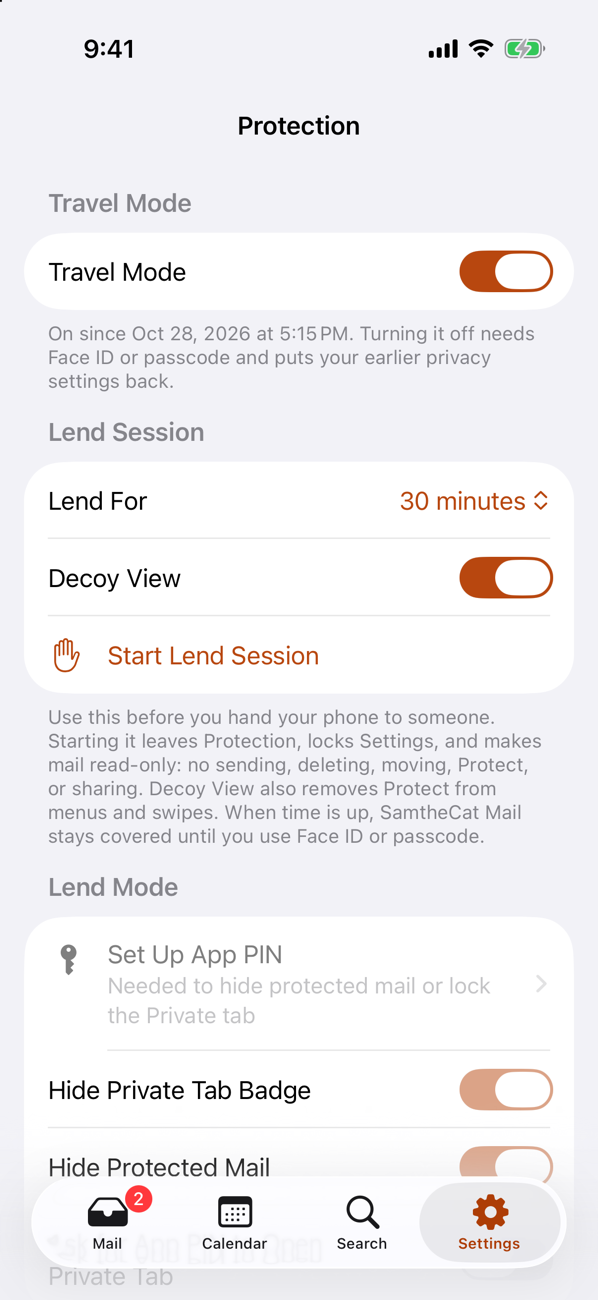
One switch before a flight or a checkpoint: sensitive mail stays out of sight, notifications stay vague, and copied text clears quickly.
We’re not sitting on a copy of your Gmail. Mail moves between your phone and Google, Microsoft, or Apple.
Protect
Tap Protect on that thread. On this iPhone it goes quiet until you unlock it with Face ID or your passcode.
Lend Mode
Start a Lend Session for 10 minutes, 30, or an hour before you hand it over. They can browse mail—you stay in control.
Travel Mode
Turn on Travel Mode before a flight or a checkpoint. SamtheCat Mail goes into its quietest state—you don’t have to delete mail first.
App Lock
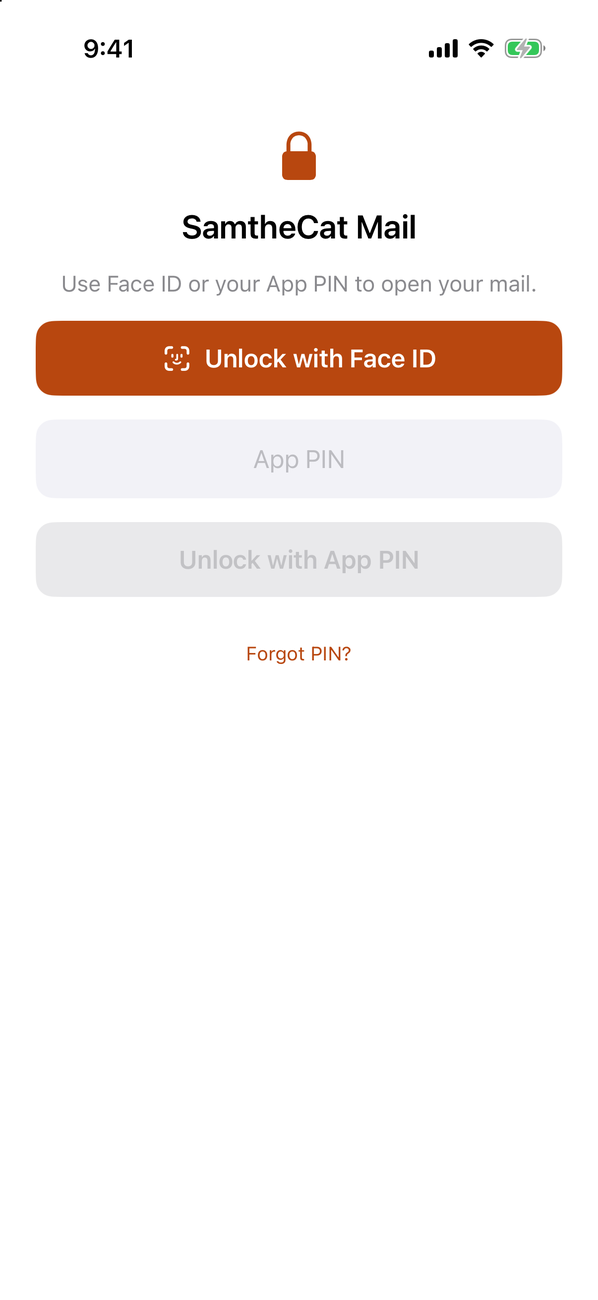
Optional App Lock asks for your App PIN—or Face ID if you use it—before SamtheCat Mail opens, even when someone else already unlocked your iPhone.
No inbox on our servers
Lots of mail apps pull your email through their servers so they can buzz you the second something arrives. We chose a different deal.
Your login and mail pass through their cloud—often for instant push.
No SamtheCat account. No vendor inbox holding your password or mail.
Use the Gmail, Outlook, or iCloud account you already have—no new inbox with us.
OAuth tokens live in Apple’s Keychain on your device, not on our servers.
No ads, no selling your mail, no cross-app tracking—paid once if you want full access.
Focus, Feed, and Noise use Apple Intelligence on your phone when your iPhone supports it.
Full-featured mail app
SamtheCat Mail is not a stripped-down client. It’s Gmail, Outlook, Hotmail, Live, and iCloud in one place—with snooze, labels, server search, calendar tools, and Apple Intelligence built in on your iPhone.
Apple Intelligence on this iPhone
Summaries and writing help use Apple’s on-device model. Text stays on your phone—not on SamtheCat servers. Available on supported iPhones with Apple Intelligence turned on.
You can exclude protected mail from AI in Settings.
Smart Inbox
Lanes sort what matters using on-device intelligence—plus VIP senders, pin, mute, block, colour stars, labels, and Done.
Send & time
Snooze, schedule send, undo send, canned responses, signatures, and per-account footers.
Find anything
Search downloaded mail, then query Gmail, Outlook, or iCloud for messages not on this iPhone yet. Saved searches and Gmail filters / Outlook rules.
Calendar
Accept or decline meeting mail, add events from a message, and browse calendars from the Calendar tab.
Safer reading
Tracking pixels stripped when you open a message, remote images under your control, read new mail aloud, and sync read/star/archive/delete to your provider when you want.
Honest limits
Because we don’t hold your login on our servers, we can’t ping you the second mail lands at Google or Microsoft. New mail shows up when you open SamtheCat Mail or iOS runs a background refresh.
Mail routes through their cloud. They can ping you immediately because they hold your credentials—and many can read or store mail on the way.
Your iPhone talks straight to Gmail, Outlook, and iCloud. No SamtheCat inbox server, no vendor holding your password. New mail arrives when you open the app or iOS background refresh runs—fewer copies, fewer leaks.
Need always-on push above all else? A server-based client may fit better. Want direct sync and per-message Protect on this iPhone? That’s the trade we chose.
Work mail, honestly
SamtheCat Mail is not a replacement for Microsoft Intune, central DLP, legal hold, or S/MIME programs. It is built for professionals who use work Gmail or Outlook on a personal iPhone their employer allows—with strict on-device defaults from day one.
We’re moving toward deeper corporate needs; we’re honest that we’re not there for enterprise IT yet. Always follow your employer’s policies, and check that your IT team allows third-party mail clients. Work Outlook sign-in may be blocked until IT allows third-party mail—or until we complete Microsoft publisher verification (not done yet). Personal Hotmail and Outlook.com are unaffected. More in Support FAQ.
Start free
Try one account with Protect, App Lock, Lend, and Travel—up to five protected messages at a time. Need every account and unlimited Protect? One purchase unlocks it—no subscription.
US$0
One-time unlock
US$9.99 launch price through 31 Jan 2027 · then US$14.99 · App Store shows your local price
App Store launch
Add your details, tick the privacy box, then tap send—we’ll reply once when SamtheCat Mail is available to download.
One message for launch—not a newsletter. We won’t use your email for anything else unless you ask us to elsewhere.
Questions before launch? Support.
Reference
For reviewers and careful readers—platform, privacy, providers, and limits in one place.